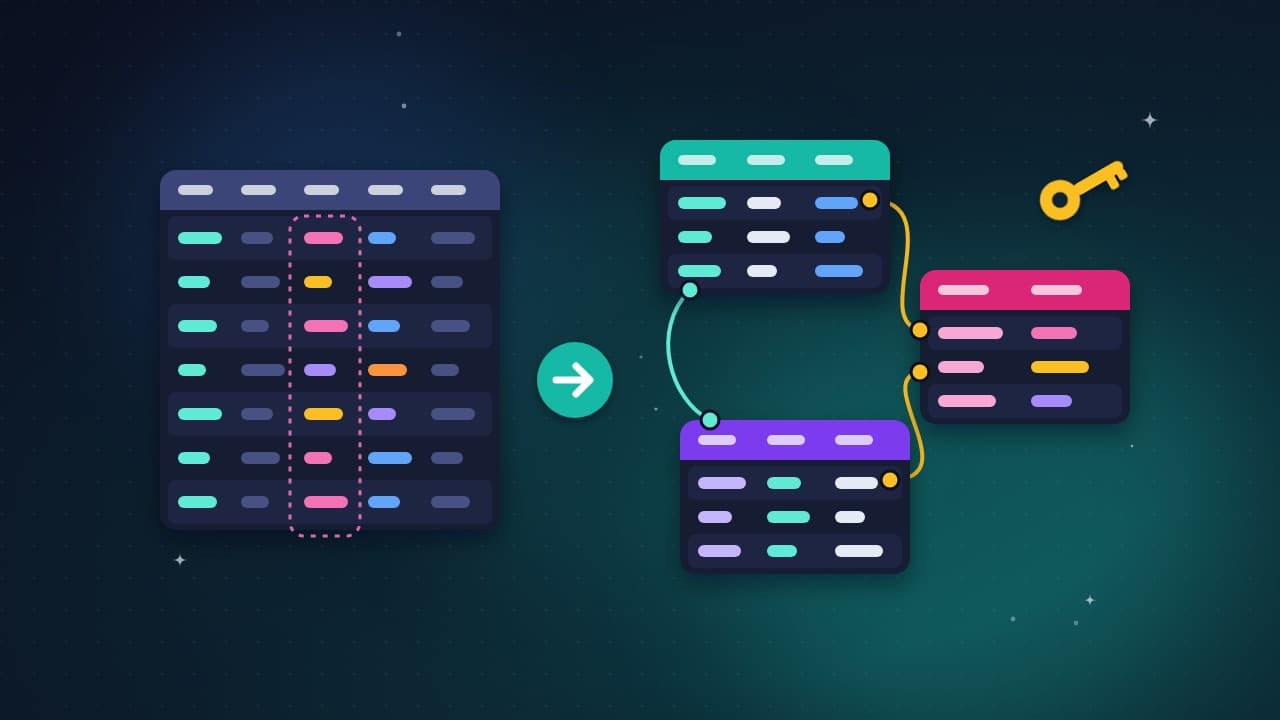

Your internal Q&A assistant flies with a few thousand document chunks, then crawls once you reach a few hundred thousand. The usual fix is to add a pgvector HNSW index, and that is where a quieter bug appears: queries with a WHERE clause return fewer results than expected, or none at all. This post covers how to build the index properly, tune the search parameters and fix those missing results.
Versions: pgvector 0.8.x (iterative index scans arrived in 0.8.0) on PostgreSQL 18. Everything was checked against the pgvector project documentation and the release notes on postgresql.org.
When to add an index, and when not to
By default pgvector runs an exact nearest-neighbor search: it scans the whole table and gives perfect recall. An approximate index such as HNSW trades some accuracy for speed, so results before and after adding it can differ.
If the table is small, or your filter already narrows things down to a few thousand rows, a regular B-tree index on the filter column is often enough and keeps results 100% exact. Add HNSW only when sequential scans become the bottleneck.
Creating the table and the HNSW index
The example models a document store for a multi-tenant RAG application. The 1536 dimensions are illustrative; use whatever your embedding model produces. The vector type supports up to 2,000 dimensions for indexing.
CREATE EXTENSION IF NOT EXISTS vector;

CREATE TABLE doc_chunks (
  id        bigserial PRIMARY KEY,
  tenant_id int  NOT NULL,
  content   text NOT NULL,
  embedding vector(1536) NOT NULL
);

-- Load the initial data first, then build the index: it is faster
CREATE INDEX CONCURRENTLY doc_chunks_embedding_hnsw
  ON doc_chunks USING hnsw (embedding vector_cosine_ops)
  WITH (m = 16, ef_construction = 64);

CREATE INDEX CONCURRENTLY doc_chunks_tenant_idx
  ON doc_chunks (tenant_id);
What each part does:
vector_cosine_opsmust match the operator you query with (<=>for cosine). A mismatch and PostgreSQL ignores the index.mis the maximum number of connections per graph layer (default 16);ef_constructionis the candidate list size while building the graph (default 64). The documentation advises keeping the defaults unless you see low recall.CONCURRENTLYis standard PostgreSQL and builds the index without blocking writes on a live table.- The B-tree on
tenant_idkeeps queries that filter down to few rows exact and fast.
Speeding up the build on large data
Builds are significantly faster when the whole graph fits in maintenance_work_mem. When it does not, PostgreSQL prints a notice that the hnsw graph no longer fits into maintenance_work_mem and suggests raising it.
SET maintenance_work_mem = '2GB';          -- adjust to your server's real RAM
SET max_parallel_maintenance_workers = 4;  -- default is 2
Do not set maintenance_work_mem so high that it exhausts server memory; the documentation warns about this explicitly. Track progress with the built-in view:
SELECT phase,
       round(100.0 * blocks_done / nullif(blocks_total, 0), 1) AS pct
FROM pg_stat_progress_create_index;
Why filtered queries come back short
With an approximate index, the filter is applied after the index is scanned. The pgvector documentation gives a concrete case: if a condition matches 10% of rows and hnsw.ef_search stays at its default of 40, only about 4 rows will match on average. For a small tenant holding 0.1% of the data, the result may be empty even though the right documents are in the table.
This is a dangerous failure for an internal chatbot: the assistant says it cannot find the document while the document exists. Nobody sees an error, only a poor answer.
Turning on iterative scans to close the gap
Since pgvector 0.8.0 you can enable iterative scans: if the first pass does not yield enough rows, the index keeps being scanned until it does or until it reaches hnsw.max_scan_tuples (20,000 by default).
BEGIN;
SET LOCAL hnsw.ef_search = 100;
SET LOCAL hnsw.iterative_scan = relaxed_order;
SET LOCAL hnsw.max_scan_tuples = 20000;

SELECT id, content, embedding <=> $1 AS distance
FROM doc_chunks
WHERE tenant_id = $2
ORDER BY embedding <=> $1
LIMIT 5;
COMMIT;
$1 is the query vector and $2 the tenant id, both passed as driver parameters. SET LOCAL only lasts for the transaction, so other queries sharing the connection are unaffected.There are two modes: strict_order keeps results in exact distance order, while relaxed_order gives better recall at the cost of slightly out-of-order results. In RAG you usually take the top few chunks for the prompt, so relaxed_order is a sensible choice; if you need strict ordering, wrap the query in a MATERIALIZED CTE as the documentation shows.
How to verify the index works and results are complete
- Run
EXPLAIN (ANALYZE)on a real query and look forIndex Scan using doc_chunks_embedding_hnsw. If you seeSeq Scan, check that the operator matches the operator class. - For your smallest tenant, run the query with and without iterative scan and compare the row count against your
LIMIT. - Compare index results with exact results (temporarily
SET enable_indexscan = offin a test transaction) on a few dozen sample questions to estimate recall.
Common mistakes
- Ordering by an expression that differs from the index operator, so the index is never used.
- Forgetting
LIMIT; the index only helps withORDER BY ... LIMIT. - Raising
ef_searchglobally instead of only for the queries that need it, slowing the whole system. - Running an old pgvector: version 0.8.2 (released 26 February 2026) fixes a buffer overflow in parallel HNSW index builds (CVE-2026-3172) that can leak data from other relations or crash the server. Check with
SELECT extversion FROM pg_extension WHERE extname = 'vector';and upgrade if you are behind.
Do not forget what goes into the vectors
A fast index does not solve the problem of personal data embedded in your documents. If your corpus contains names, national ID numbers or contracts, mask the data before generating embeddings; see the AI Masking solution. On the database side, read our posts on PostgreSQL 18.7 and its 52 vulnerabilities and on patching and tightening PostgreSQL permissions to know which version to run. If you are weighing an internal assistant on PostgreSQL, browse the projects Besoft has delivered and talk to our engineers about your data volume.